Direct connection
Connect ChatGPT
Use your synchronized training in your conversation. Create, save or edit workout plans within the permissions you approve.
Explore the connection → ActualSet
Open app ↗
Turn your AI plan into a workout you can follow, log and keep. Connect ChatGPT, import a formatted plan or build your own.
For iPhone and web. AI connection optional.
Here’s your Full body strength plan:
Front squat comes first. Follow each set and log what you actually do in ActualSet.
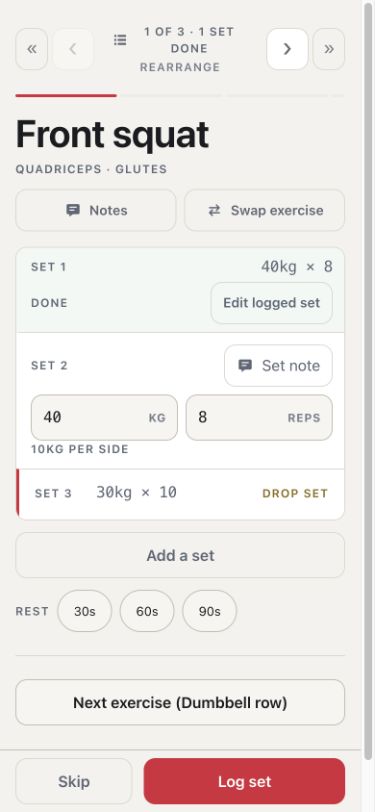
Same front squat sets. Illustrative chat · Actual app capture.
Bring a plan from your conversation,
or build it from the first exercise.
Use your synchronized training in your conversation. Create, save or edit workout plans within the permissions you approve.
Explore the connection →Give your assistant ActualSet’s format prompt. Paste the formatted reply, review the exercises and sets, then save.
Import a workout →Choose from the exercise library, reuse saved exercises or create your own. Add sets, targets and rest times.
Build a workout →AI conversations happen in your chosen assistant. ActualSet keeps the workout and the record of what you do.
Log what happened in the gym, even when it differs from the plan.
Weight, reps, time and distance. Reorder exercises, build supersets, adjust rest or substitute a movement.
Sign in and open your workout while connected. Keep logging offline, then reconnect to sync.
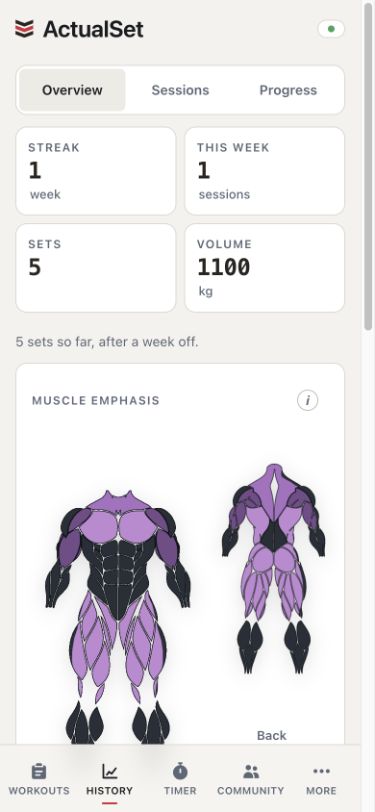
Correct completed sets. Review personal records, strength and volume trends, weekly consistency and estimated muscle emphasis.
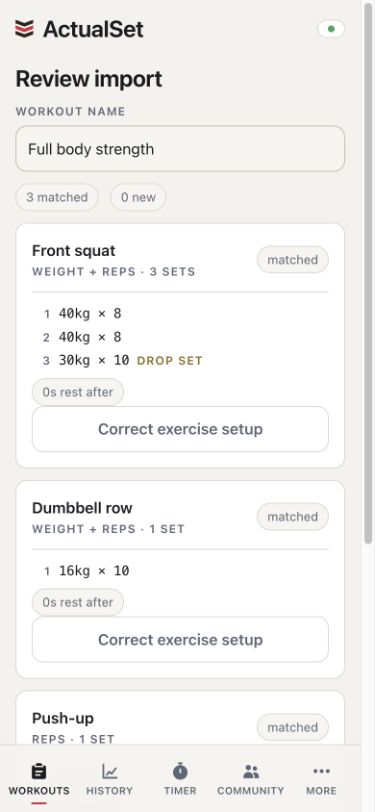
Connect ChatGPT, import a plan in ActualSet’s supported format or build a workout from the library, your saved exercises or custom exercises.
Within your approved permissions, ChatGPT can read synchronized training and create or edit eligible plans. Proposals require review and Save in ActualSet; direct creation and editing save immediately. Notes access is separate, optional and off by default.
Yes. Give your assistant ActualSet’s format prompt and paste the formatted reply into ActualSet. Review before saving. Arbitrary workout prose, photos and PDFs are not supported.
Yes. Choose exercises from the library, reuse saved exercises or create your own. Add your sets, targets and rest times. An AI connection is optional.
Sign in and open your workout while connected, then keep logging when reception drops. Reconnect to sync and check your backup status before removing the app or downloaded data. AI conversations and the ChatGPT connection require internet.
Record weight, repetitions, time and distance in any combination, plus effort ratings and notes. Use supersets, per-side work and timed phases, and correct recorded sets without creating duplicates.
Connect your chat, import a plan or build your own workout.
Within your approved permissions, the connection’s eight tools can read synchronized training, propose workouts for review, create plans directly and edit eligible plans. Proposals require review and Save in ActualSet; direct creation and editing write immediately. Notes access is separate, optional and off by default. Structured body-measurement records are excluded; text you put in names or notes is not automatically filtered.
Connection privacy details · Connection help · Connection terms
Dentro das permissões aprovadas, a conexão pode ler treinos sincronizados, propor treinos para revisão, criar planos diretamente e editar planos elegíveis. Propostas exigem revisão e Salvar no ActualSet; criação direta e edição gravam imediatamente. O acesso às notas é separado, opcional e desativado por padrão. Registros estruturados de medidas corporais ficam excluídos; texto em nomes ou notas não é filtrado automaticamente.
Privacidade · Ajuda · Termos